Alchemy Factory System Requirements & Co-Op
Official PC system requirements, hardware specifications, and multiplayer co-op setup guide for Alchemy Factory 1.0 on Steam.
Quick Answer: Hardware & Multiplayer Specifications
Alchemy Factory launched Version 1.0 on Steam with verified support for Windows PCs and robust multiplayer options:
- Base Storage Footprint: Compact 3 GB storage footprint on modern solid-state drives.
- Memory Benchmark: 8 GB RAM minimum, with 16 GB strongly advised for mega-factories running thousands of automated machines.
- Co-Op Modes: Online co-op via Steam lobby join codes, LAN direct IP connection, and standalone dedicated servers.
- Network Port Standard: Operates on default port 27510 following official post-launch network hotfixes.
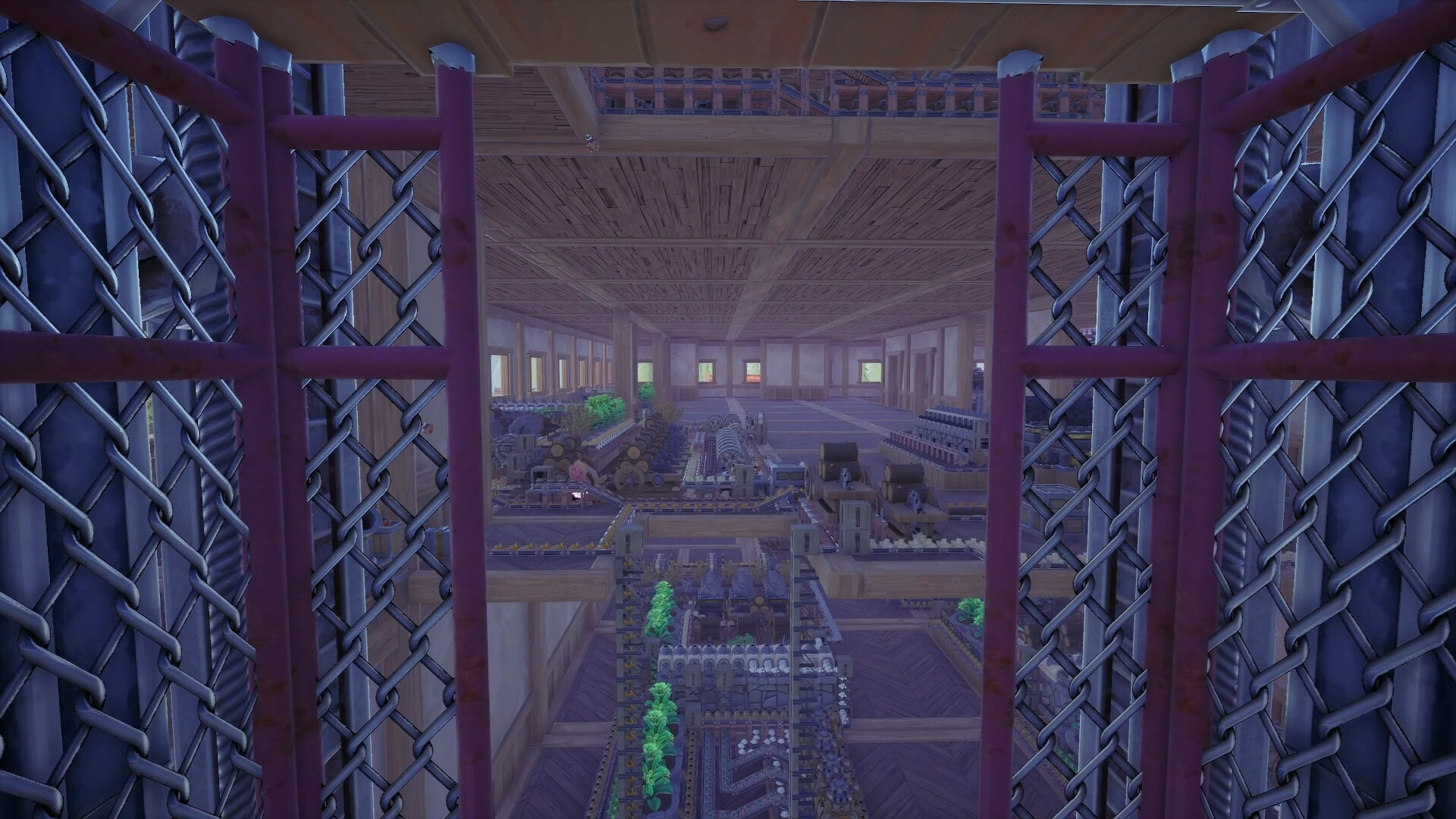
Official PC System Requirements
All specifications are verified from official Steam product documentation provided by developer D5 Copperhead:
| Hardware Component | Minimum Specification | Recommended Specification |
|---|---|---|
| Operating System | Windows 10 (64-Bit) | Windows 11 (64-Bit) |
| Processor (CPU) | Intel Core i5-3570 (3.4 GHz, 4 Cores) | AMD Ryzen 5 5600X / Intel Core i5-12400 (6 Cores) |
| Memory (RAM) | 8 GB RAM | 16 GB RAM (dual-channel configuration) |
| Graphics (GPU) | Nvidia GeForce GTX 1060 / AMD Radeon RX 470 or RX 570 | Nvidia GeForce RTX 2070 / AMD Radeon RX 5700 |
| DirectX Version | Version 11 | Version 11 |
| Storage Space | 3 GB available space | 3 GB available space (NVMe SSD recommended) |
| Audio | DirectX compatible sound card | DirectX compatible audio device |
Hardware Architecture & Performance Optimization
While Alchemy Factory features stylized visual presentation, its underlying simulation engine performs thousands of continuous item calculations every second:
CPU Simulation Scaling
In early-game setups, a standard quad-core processor handles item flow effortlessly. However, as factories expand into sprawling industrial campuses with multiple processing floors:
- Conveyor Physics: Thousands of individual items moving along continuous belts create heavy main-thread physics overhead. Version 1.0 segments conveyors into independent DAG (directed acyclic graph) clusters to prevent system freezes.
- Ballistic Routing Advantage: Replacing long conveyor spans with Arcane Fountains and catapult throwers dramatically lowers CPU burden, as ballistic projectiles calculate simple parabolic paths rather than complex belt collisions.
- Memory Bandwidth: 16 GB of dual-channel RAM ensures that large world state files and complex multi-tile logistics networks load without frame pacing stutters.
Steam Deck & Handheld Performance Optimization
Alchemy Factory 1.0 runs smoothly on portable handheld devices like the Steam Deck, ASUS ROG Ally, and Lenovo Legion Go with appropriate settings adjustments:
| Handheld Device | Target Resolution | Recommended Framerate | Graphics Preset | Expected Battery Life |
|---|---|---|---|---|
| Steam Deck (LCD / OLED) | Native Handheld Screen | 45 FPS cap | Medium Textures, Low Shadows | 2.5 to 3.5 Hours |
| ASUS ROG Ally (Z1 Extreme) | Full HD (FSR Balanced) | 60 FPS cap | Medium Settings, 15W TDP | 2.0 to 2.5 Hours |
| Legion Go | Native WQXGA Panel | 60 FPS cap | Medium Settings, Balanced TDP | 1.8 to 2.2 Hours |
For Steam Deck users, locking the framerate to 45 FPS provides exceptional visual fluidity while keeping thermal output low and preserving battery runtime during long factory layout sessions. Controller navigation supports direct analog stick movement and bumper hotkey cycling across building bars.
In-Game Graphics Settings & Framerate Optimization
To achieve a rock-solid 60 FPS in dense alchemical complexes on mid-range hardware:
- Shadow Quality: Set to Medium or Low. Real-time dynamic shadows from hundreds of glowing lamps and cauldrons create high GPU fill-rate demands.
- View Distance: Set to High for terrain, but reduce item render distance in the options menu to prevent rendering inactive items in distant rooms.
- V-Sync & Frame Cap: Cap your framerate to match your display refresh rate to eliminate screen tearing and reduce GPU coil whine during menu navigation.
Setting Up Multiplayer Co-Op in Version 1.0
Connecting with friends to co-manage an alchemy factory is seamless using the built-in 1.0 lobby system:
1. Peer-to-Peer Steam Lobby Hosting
- From the main menu, navigate to Multiplayer and select Host Room.
- Set your room privacy to Public, Friends Only, or Private.
- Generate a unique Room Join Code to share with friends across platforms or outside your direct Steam friends list.
- Friends can join by selecting Join Game and pasting the join code directly into the connection prompt.
2. Standalone Dedicated Server Deployment
For communities desiring persistent 24/7 worlds where factory lines continue operating while the host is offline:
- Server Package: Deploy the standalone dedicated server tool available through the Steam Tools library.
- Firewall & Port Rules: Ensure UDP and TCP traffic on port 27510 is allowed through host firewalls and router NAT tables.
- Save Migration: Dedicated servers can host existing single-player world saves by copying world data files into the server save directory.
Network Ports, NAT & Official Hotfix Changelog
Post-launch updates from D5 Copperhead resolved critical multiplayer edge cases and network routing standards:
| Hotfix Version | Release Date | Critical Multiplayer & Network Resolution |
|---|---|---|
| Hotfix v1.0.4917 | Sep 8, 2026 | Fixed drink production crash in multiplayer; repaired chat box looping; overhauled Join Game UI. |
| Hotfix v1.0.4930 | Sep 8, 2026 | Changed default port from 27015 to 27510 to resolve port conflicts; enabled direct Steam friend invites. |
| Hotfix v1.0.4950 | Sep 10, 2026 | Disabled Unreal Engine NNE neural engine that caused game launch failures on certain PCs; fixed Track Sorter routing. |
| Hotfix v1.0.4962 | Sep 12, 2026 | Fixed multiplayer desync where players could disappear while standing on Wagon Launch Stations. |
Important Port Configuration: If you previously configured router port forwarding for Early Access on port 27015, update your port forwarding rules to 27510. Connecting via join codes on outdated port mappings will result in connection timeouts.
Recommended Co-Op Division of Labor
Alchemical complexes operate most profitably when players divide responsibilities across distinct operational domains:
- The Industrial Synthesis Engineer: Manages resource harvesting, cauldron transmutation arrays, fluid pressure piping, and rail logistics networks across outer districts.
- The Commercial Storefront Manager: Oversees store design, retail counter stocking, Brew Barrel drink production, Grand Portal patron management, and royal commission fulfillment at dispatch bays.
- The Construction Architect: Builds vertical stairwells, modular Brick and Marble structural halls, and conveyor bridges to keep walkways unobstructed.
Common Multiplayer Troubleshooting
- Connection Timeouts on Join Codes: Confirm that both players have updated to Hotfix v1.0.4930 or later and that port 27510 is unobstructed by antivirus firewalls.
- Wagon Transformation Desync: Hotfix v1.0.4962 resolved character disappearing bugs at Wagon Launch Stations. Ensure all clients are running matching patch versions.
- Large World Loading Delays: In mega-factories containing tens of thousands of items, initial world synchronization may take 30 to 60 seconds across slower broadband connections. Allow the sync process to finish before attempting a reconnect.
Related Guides
- Coordinate starter tasks with co-op partners using the First Hour Milestone Guide.
- Divide specialized tech branches via the Research Tree Roadmap.
- Optimize multiplayer base performance using our Automation Tips & Tricks.
Blueprint FAQs
What are the minimum PC requirements for Alchemy Factory? +
Windows 10 64-bit, Intel i5-3570 (4 cores 3.4 GHz), 8 GB RAM, Nvidia GTX 1060 or AMD RX 470/570, DirectX 11, and 3 GB available storage.
What are the recommended PC specs for Alchemy Factory? +
Windows 11 64-bit, Ryzen 5 5600X or Intel i5-12400 (6 cores), 16 GB RAM, Nvidia RTX 2070 or AMD RX 5700, and 3 GB storage.
Does Alchemy Factory support multiplayer co-op? +
Yes, Version 1.0 features Online and LAN co-op with room join codes and experimental dedicated server support.